What Fleet GPS Tracking Data Can Tell You
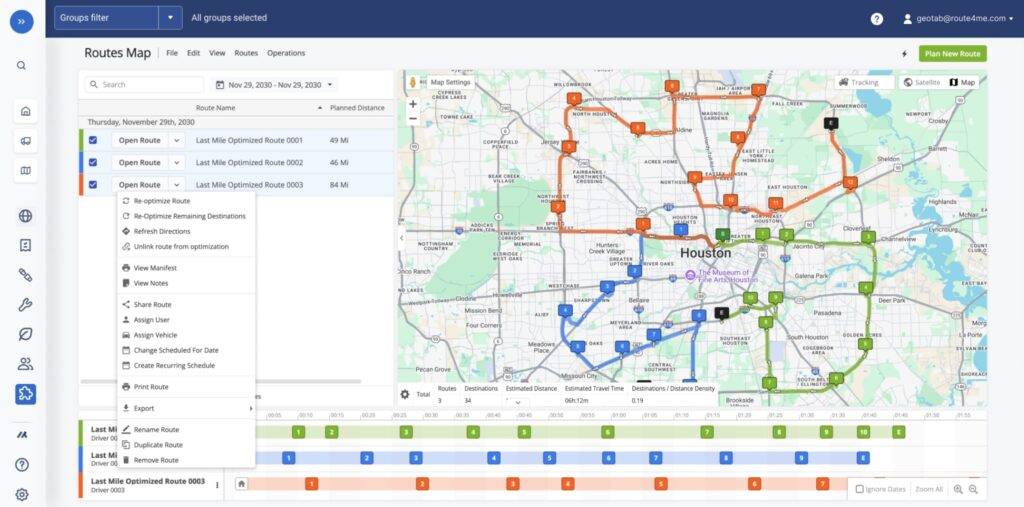
A GPS tracker sends a steady stream of information about where a vehicle is, how it is moving and when it stops. On its own, the raw data can be overwhelming. Used well, it answers the everyday questions a fleet manager has about schedules, routes, costs and safety.
Metro Mobile in Langley supplies and supports fleet tracking across BC. Our fleet tracking page covers the options we offer. This article explains what the data can show and how to use it.
Location and trip history
The most basic data is where a vehicle is and where it has been. Trip history shows the route taken, the start and end times and the stops made along the way. Managers use this to check that jobs were completed, to answer customer questions and to plan future routes.
For background on why many Canadian fleets use tracking, read the benefits of using a GPS tracker for fleet in Canada.
Stops, idling and vehicle use
Tracking data can show how long a vehicle stops and whether it is idling. Long idle periods can point to scheduling gaps, waiting time or habits worth reviewing. The data can also show which vehicles are used most, and which ones sit idle. That helps with decisions about assignments and maintenance planning.
Driving events
Depending on the system, tracking can record events such as harsh braking, rapid acceleration or speeding. These events are most useful when they are reviewed as patterns over time. A single event may have a simple explanation, such as a sudden stop for a hazard. Repeated events from the same driver or route are worth a closer look.
Pairing tracking with a camera gives more context. Geotab GO Focus Plus is designed to work with MyGeotab telematics, so a manager can match an event with the footage from the same moment. See fleet dashcams for the camera options we supply.
Records and reporting
Tracking data can support mileage records, job costing and reporting to clients. Check what your accounting or compliance process needs, and make sure the reports you export match those requirements. Our team can help you set up reports that suit your workflow.
Reading the data sensibly
- Look for patterns over weeks, not single days.
- Compare like with like. A highway route and a city route will not look the same.
- Check that the data is accurate, including the vehicle assignments and the time zone settings.
- Talk to drivers about what the data shows before drawing conclusions.
Privacy and policy
Drivers should know what is tracked, who can see the data and how long it is kept. A written policy helps set expectations and avoids confusion. Requirements for tracking and monitoring workers can depend on where you operate, so confirm your obligations with your legal or HR advisor and your insurer.
Want to know what tracking data your fleet could use? Read our guide to 5 questions to ask before choosing a fleet tracking system, or contact Metro Mobile in Langley and call (604) 888-5100. We will help you choose a setup that fits your fleet.