How to Choose a Fleet Dashcam: Single, Dual-Facing and AI Options
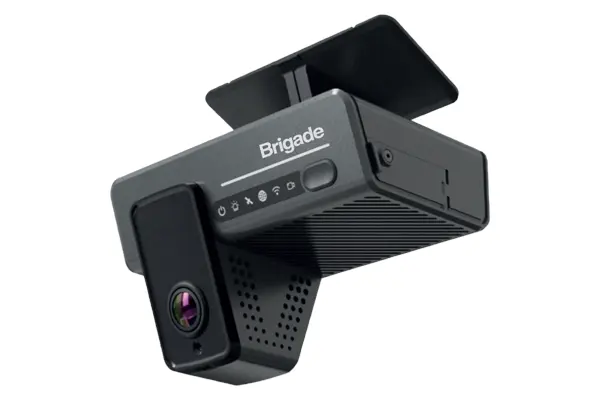
A dashcam records what happens in and around a commercial vehicle. For a fleet, that footage can support driver coaching, incident review and day-to-day accountability. Choosing the right unit starts with knowing what you need the footage to show, and what your drivers need to know about it.
Metro Mobile in Langley installs and supports dashcam systems for fleets across BC. Browse our fleet dashcams page to compare the units we offer, then use this guide to narrow your choice.
Single-view, dual-facing or AI: the basic options
Fleet dashcams come in a few main types:
- Single-view units record one direction, usually the road ahead. They suit fleets whose main concern is what happens in front of the vehicle.
- Dual-facing units record two views: the road and the driver. The driver-facing lens helps the fleet review fatigue or distraction, and the road lens records the same moment outside.
- AI dashcams analyze the video and can flag events such as forward collision risk, lane departure, driver distraction and fatigue. The alerts help a manager find the moments worth reviewing.
Several units in our range fit these types. Geotab GO Focus Plus is a dual-facing AI dash cam that works with MyGeotab telematics. Thinkware offers a 2-channel Full HD dashcam, and GNET G-ONX is a 2-channel dashcam with optional GPS and Wi-Fi modules. Brigade offers an AI-connected dash cam, LCV dashcams for light commercial vehicles, and mobile digital recorders.
What to compare before you buy
Use the same checklist for every unit you consider:
- Camera views: how many lenses, and whether the driver-facing view is part of the package.
- AI alerts: which events the unit flags, and whether managers can review them without watching every minute of footage.
- Storage: how footage is saved, how long it is kept and how old clips are overwritten.
- Connectivity: whether the unit needs GPS or Wi-Fi modules, and how footage is retrieved from the vehicle.
- Tracking pairing: whether the dashcam works with the telematics platform you already use or plan to use.
- Installation: where the camera sits on the windshield, and whether wiring is hidden and protected.
Pairing a dashcam with fleet tracking
A dashcam shows what happened in a clip. Tracking shows where the vehicle was and how it moved. When both are linked, a manager can match an alert with a location and a time. Geotab GO Focus Plus is built to work with MyGeotab telematics, which is one reason fleets often review both together. If you are comparing tracking options, see our fleet tracking page.
Driver privacy and policy
Drivers should know what is recorded before the unit goes in. Tell them clearly whether the cab and the driver are filmed, when footage is reviewed, who can access it and how long it is kept. A written policy that matches the system's real settings builds trust and avoids confusion later.
Check your own requirements and talk to your insurer before you rely on dashcam footage for any claim or policy decision. We cannot advise on legal obligations, but we can explain how each unit records and stores its data.
How to narrow your choice
- Start with the main risk: road events, driver behaviour, or both.
- Choose single-view, dual-facing or AI based on that risk and your review process.
- Confirm storage, connectivity and tracking pairing before you order.
- Write the driver policy alongside the installation plan.
If your fleet also needs rear or side coverage, read backup cameras for commercial vehicles in BC. For a quick comparison of the two camera types, see backup cameras vs dashcams.
Want help choosing the right unit for your vehicles? Contact Metro Mobile in Langley and we will review your fleet with you.